> ## Documentation Index
> Fetch the complete documentation index at: https://docs.walletkit.com/llms.txt
> Use this file to discover all available pages before exploring further.
# CORS origin
> Configure allowed origins for CORS
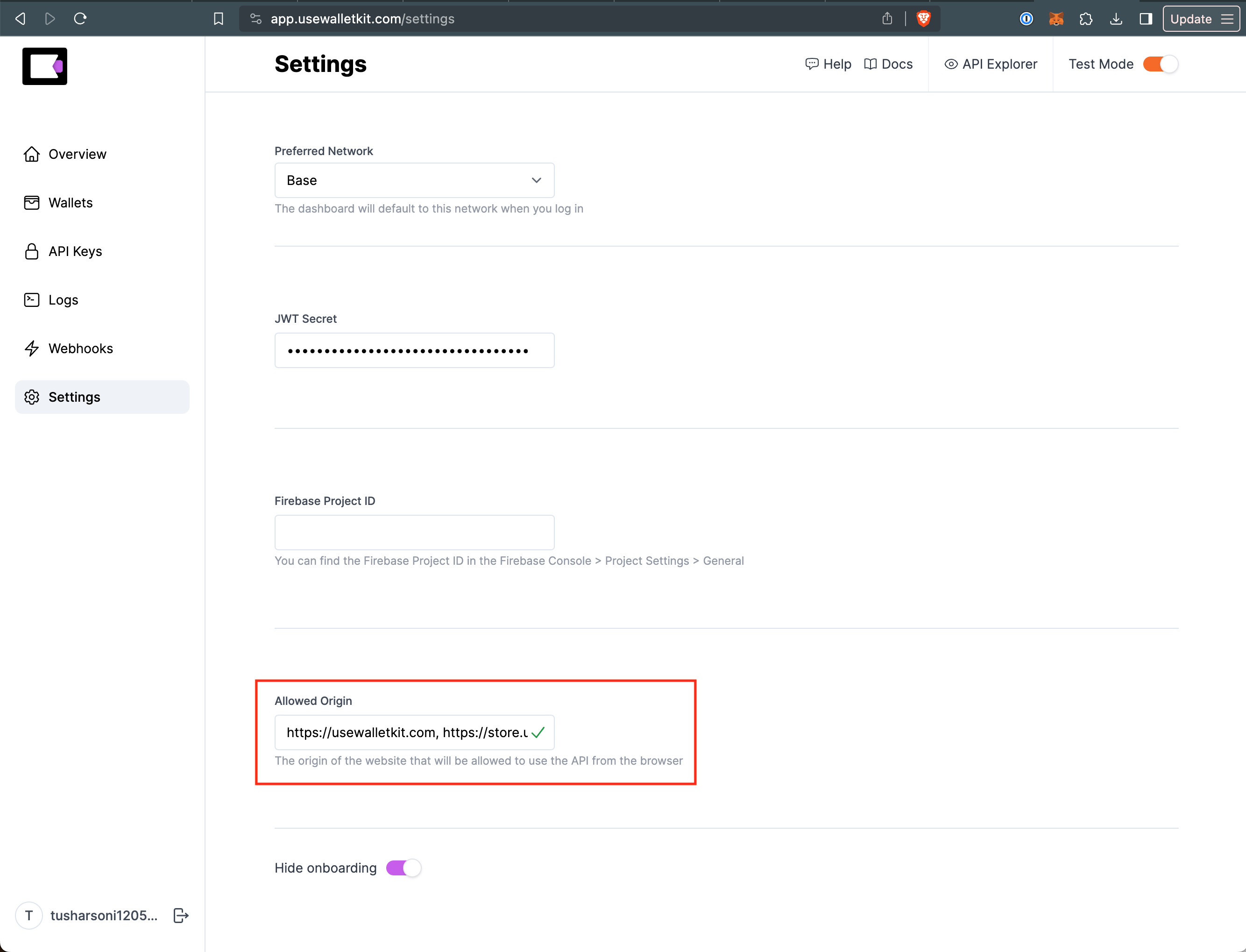 You must configure a list of allowed origins in the WalletKit dashboard for CORS to work. This is a security measure to prevent malicious websites from using your Project ID.
Head over to the [Settings page](https://app.walletkit.com/settings) in the
WalletKit dashboard.
Under the **Allowed Origin** section, add a list of comma separated origins that
you want to allow. For example, if you want to allow `https://example.com` and
`https://example.org`, you would enter:
```
https://example.com, https://example.org
```
You must configure a list of allowed origins in the WalletKit dashboard for CORS to work. This is a security measure to prevent malicious websites from using your Project ID.
Head over to the [Settings page](https://app.walletkit.com/settings) in the
WalletKit dashboard.
Under the **Allowed Origin** section, add a list of comma separated origins that
you want to allow. For example, if you want to allow `https://example.com` and
`https://example.org`, you would enter:
```
https://example.com, https://example.org
```